Legacy IT systems are one of the main obstacles to effective digitization of healthcare. New tools for clinics and labs rely on AI and data analytics, which need a robust infrastructure and must integrate with the systems already in place. This article covers how to recognize a legacy system, the hidden costs of keeping one, how the main modernization strategies compare, and how to upgrade without disrupting care.
What is a legacy system?
A legacy system is not necessarily old. Even a fairly new solution becomes "legacy" when it no longer meets the organization's needs. Signs you are running one:
- Many processes are still done manually
- The system can't process several types of data
- Processes are slow because systems don't exchange data well
- Data flows are not transparent
- Errors are hard to trace and resolve
- Security is a recurring concern
- You can't run modern analytics or AI tools
- Infrastructure is expensive and complicated to manage
The hidden costs of keeping a legacy system
The license or server bill is the visible cost. The hidden costs are spread across the organization:
- Staff time on manual work. Re-entering data between systems takes clinical and administrative hours away from patients.
- Slow integrations. Every new partner, lab or payer connection takes longer and costs more.
- Security and compliance risk. Older systems are harder to patch and audit, which raises the risk under HIPAA.
- Blocked innovation. AI and analytics projects stall because the data can't be reached.
- Shrinking talent pool. Fewer engineers know the old technology, and each one costs more.
Challenges in modernizing legacy systems
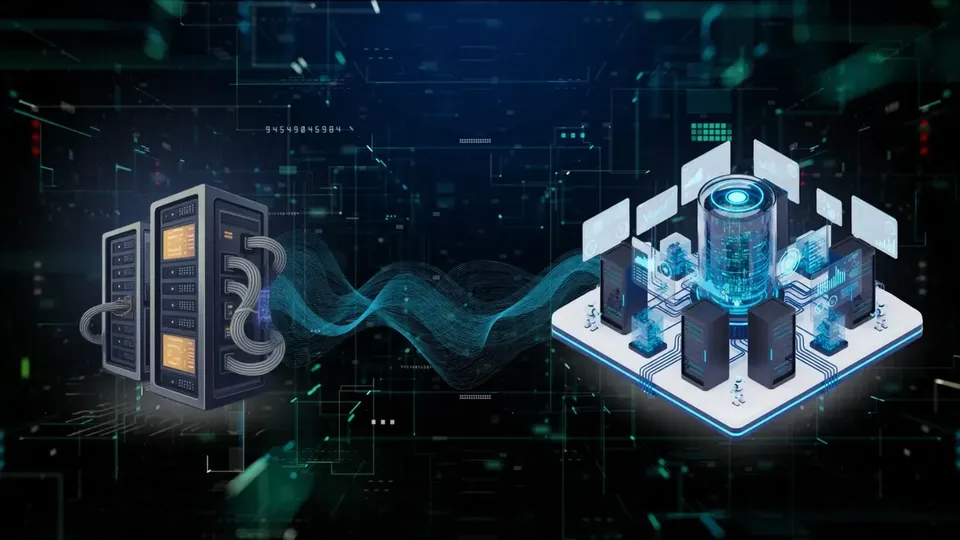
Integration. Few healthcare organizations can replace all hardware and software at once, so new components have to work alongside old ones while every process keeps running.
Non-disruptive operations. Clinics can accept almost no downtime. Upgrades have to fit around patient schedules.
Data security and loss prevention. Patient data must stay protected during migration, as required by HIPAA.
Staff adoption. People resist changes to their routines, even useful ones, so training and support are part of the project.
Budget. Modernization needs investment, but it can usually be phased so costs are spread over time.
Modernization strategies compared
- Migrate and enhance: move part of the operations to the cloud and upgrade the rest; moderate cost; low disruption if staged; good for organizations with stable core systems and growing data needs.
- Improve and extend: fix key weaknesses and plan for growth; lowest cost; minimal disruption; good when the core still fits the work.
- Rebuild: keep core features, rebuild the software and add modules and integrations; higher cost; medium disruption if staged; good when the system can't integrate or scale.
- Replace: move to an off-the-shelf or custom solution; highest cost and risk; good only when the system blocks the organization's strategy.
How to modernize step by step
- Assess whether your software meets current and future needs.
- Choose a strategy from the options above.
- Pick the tech stack. Non-critical workloads can move to the cloud; core clinical systems may stay on-premises.
- Plan the retirement of old components, keeping what you still need during the transition.
- Train your staff so the new system is used well from day one.
- Plan for future upgrades so the next change is easier.
From our work: upgrading healthcare platforms in stages
GeneDx genetic testing platform. Since 2018, VARTEQ has helped build and upgrade a commercial genetic testing platform: test ordering, billing, insurance coverage, genetic counseling and results reporting, plus the back end of an AI tool that interprets genetic test data. The platform kept serving patients and clinicians while it changed. Read the GeneDx case study.
LIMSys for pharmaceutical labs. For a pharmaceutical manufacturer, VARTEQ implemented a laboratory information management system that connects lab equipment, automates experiment tracking and centralizes records. Experiment efficiency increased threefold, and development and deployment took six months, on schedule. Read the LIMSys case study.
Frequently asked questions
Can a legacy healthcare system be modernized without downtime?
Usually yes, if changes are staged and tested against real clinical workflows.
What should be modernized first?
Integrations and security gaps, before user-facing features.
Does modernization affect HIPAA compliance?
It can improve it, but security requirements must be set at the start of the project.
Final thoughts
Healthcare technology keeps changing, so organizations should plan for continuous upgrades rather than one big switch. A partner with healthcare experience and application modernization expertise can make that process safer. Read also: Digitizing Healthcare: Why Does It Take So Long. Contact us to discuss your legacy system.